
cornerbrickmc
  • Home
  • Freelance
  • Business
  • Featured
  • Global Trade
  • Industry
  • Market
  • Tech

Facebook Feed

Facebook Feed
All Right Reserved. Designed and Developed by cornerbrickmc.
Author

Sarah

Sarah

Industry

Ceiling Combat: Fixing Meeting Room, Corridor, and Open-Plan Lighting Problems

by Sarah August 13, 2026
written by Sarah

Problem statement — what’s breaking and why you notice it

Lights that glare in meetings, dark corridors, and spotty open-plan illumination aren’t just annoying; they wreck focus and waste energy. I’ve seen the exact symptoms during a mid-size retrofit in a London office tower: meeting-room hotspots, corridors under 100 lux, and bench desks with flicker from cheap drivers. That mess usually comes from wrong ceiling choices, bad spacing, and mismatched color temperatures—stuff that track lighting manufacturers get asked about all the time when teams try to patch rather than fix. If you’re planning a lighting retrofit, start by admitting the problem: the ceiling is the stage and the fixtures are the actors—casting matters.

Why this actually matters — real impacts

Bad ceiling lighting hits these targets fast:- Productivity drops when meeting-room contrast and glare fight video calls.- Safety and wayfinding suffer in low-illumined corridors.- Open plans suffer from visual fatigue and hot/cold desk zones.You’ll see complaints, higher HVAC loads from heat, and replacement headaches when cheap luminaires and mismatched CCTs are used.

Diagnose like a pro — measurable checkpoints

Don’t guess. Run quick tests:- Measure lux at task plane: meeting rooms should hit 300–500 lux for detailed work; corridors can be 100–200 lux depending on code.- Check CCT consistency: stick within ±500 K across a zone.- Test for flicker: use a camera at 120 fps to spot PWM issues.- Map uniformity: aim for a uniformity ratio (min/max) above 0.6 in meeting rooms.These facts let you decide whether to relamp, re-lay, or redesign ceilings.

Space-specific fixes — practical, tech-aware picks

Meeting rooms:- Use low-glare recessed panels or asymmetric downlights. Add dimming zones and high-CRI (90+) choices for accurate skin tones on video.- Use indirect uplight to reduce contrast on screens.Corridors:- Continuous linear or modular troffers spaced for even light. Prioritize uniformity over raw lux numbers.- Use higher mounting with optics that cut spill to walls to improve wayfinding.Open plans:- Mix task luminaires with broad area panels to prevent islands of light.- Consider tunable CCT in collaboration zones; keep heads-down desks cooler.For all zones, prefer controllable drivers (DALI 2 or compatible) and sidestep cheap PWM that causes flicker or interference with AV gear.

Retrofit checklist and common pitfalls

Checklist before you touch ceilings:- Baseline light map and photometric targets.- Ceiling structural review: can it take new fixtures and wiring runs?- Driver compatibility with existing controls.- Thermal constraints for LED lifetime.Common mistakes:- Swapping fixtures without fixing spacing—creates mottled ceilings.- Ignoring color rendering and mixing CCTs across the same visual field.- Underestimating driver heat leading to early lumen depreciation.

Options and brief comparisons — what to evaluate

Quick comparative insight so you don’t overbuy:- Recessed LED panels: clean look, good uniformity, but watch glare and CCT matching.- Linear LEDs: great for corridors and open plans, flexible in layout.- Track heads: perfect for flexible meeting-room setups and targeted uplights; good if you need changeable scenes (see track lighting manufacturers in specs).When a full rewire isn’t possible, targeted lighting retrofit kits with integrated drivers and slim profiles can salvage ceiling constraints while improving performance.

Implementation tips from field experience

Plan tests, then scale. Prototype one meeting room and one open-plan bay for at least a week. Log occupant feedback and measure post-install lux/CCT. Avoid blanket decisions based only on fixture catalog images—real life reveals glare and rogue reflections. Keep maintenance access and lamp replacement simple: modular drops and service panels save long-term ops costs.

Wrap-up — clear outcome and where this leads

Fix the ceiling layout, pick correct optics and drivers, and you’ll turn noisy spaces into predictable, low-maintenance ones. That’s what good retrofit work solves: consistent light levels, fewer complaints, and reliable controls that play nice with AV and building systems. For practical hardware and spec alignment that respects those constraints, I lean toward partners who match product photometry to real ceiling conditions and offer robust retrofit options like trieco, because the right kit and sensible testing stop problems from returning.
August 13, 2026 0 comments
0 FacebookTwitterPinterestEmail
Global Trade

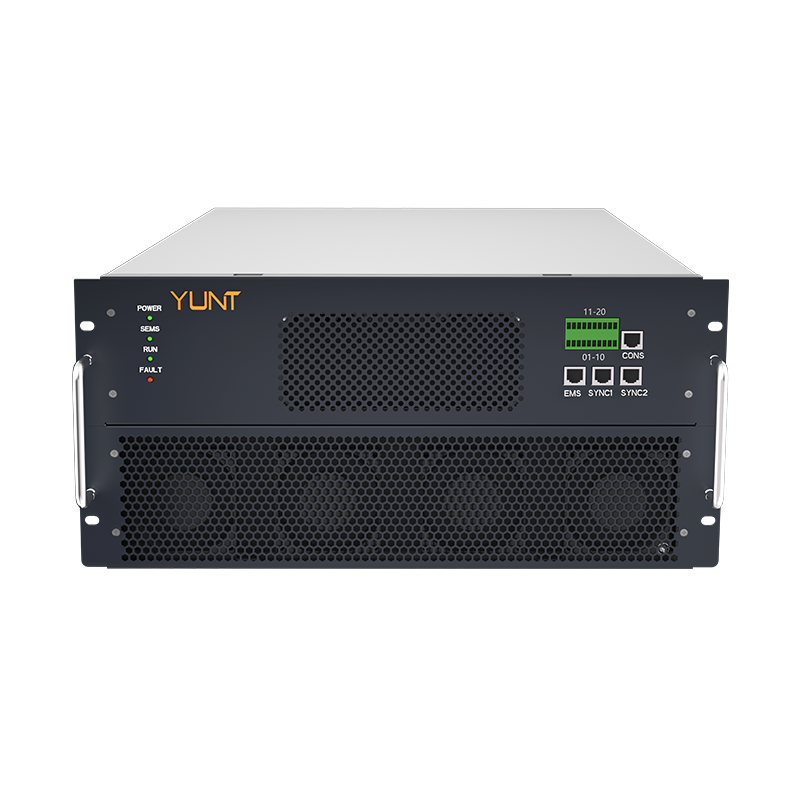
Why Budget Power Plants Stumble: How Dynamic P&O MPPT Fluctuations Undermine Low-Cost Charge Controllers

by Sarah August 7, 2026
written by Sarah

The core problem

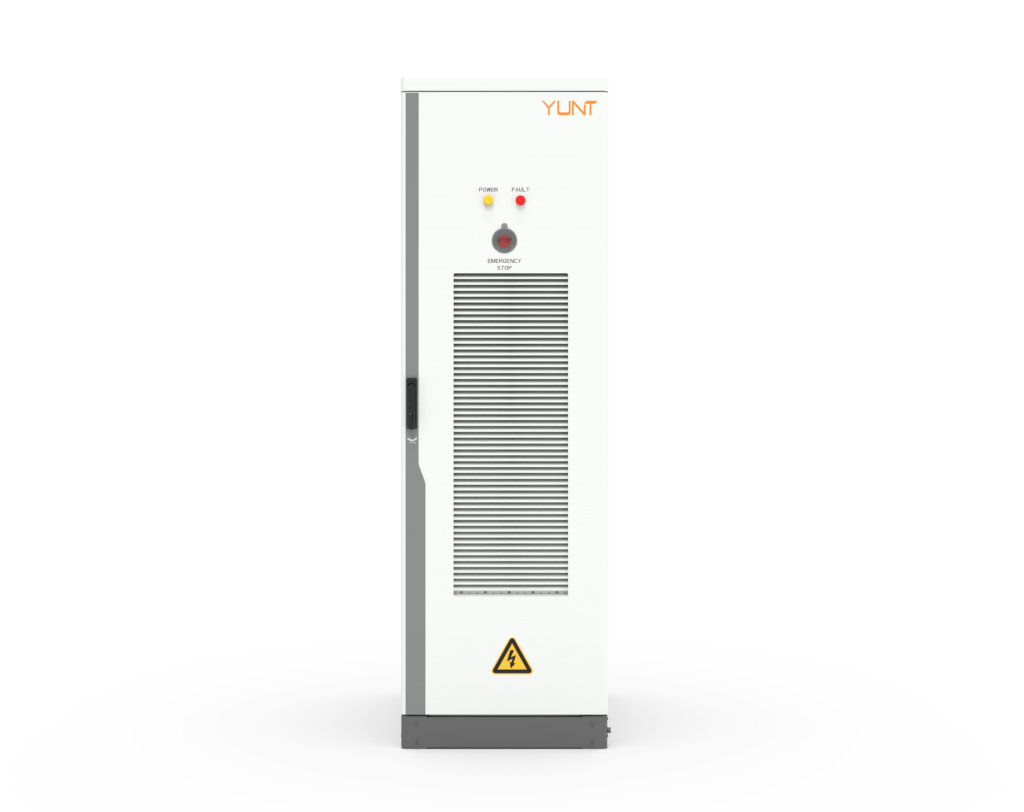
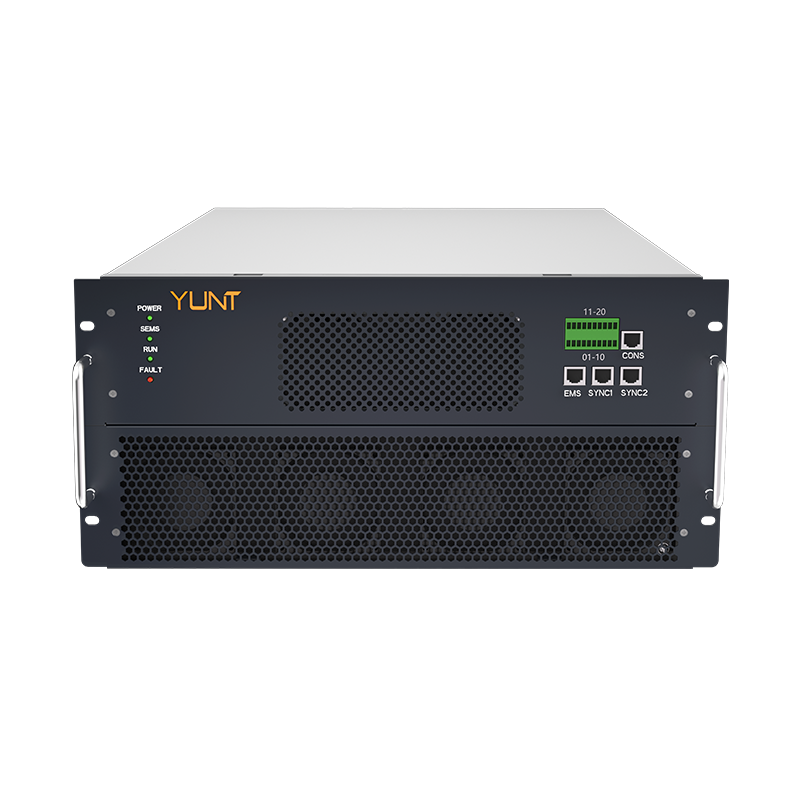
Low-cost power systems promise savings but often deliver inconsistency—especially when perturb and observe (P&O) MPPT logic meets real-world variability. In compact commercial installs, a cheap charge controller can oscillate around the true maximum power point, causing up to double-digit energy loss across a day. Smart energy storage system design needs to account for that instability, and practical upgrades are usually cheaper than repeated field maintenance; see a sensible approach to energy storage system design early in project planning.

energy storage system design

How dynamic P&O creates the failure mode

P&O adjusts operating voltage, watches power rise or fall, and repeats. That simplicity is attractive in low-cost MPPT modules. But on sites with rapidly shifting irradiance—cloud edges, partial shading, or variable loads—the algorithm hunts instead of locking. The controller produces short-term oscillations and frequent mode switching that stress semiconductor switches and shorten component life. Industry terms worth noting here are MPPT, perturb and observe, and charge controller; these explain why small timing mismatches produce outsized energy deficits.

energy storage system design

Real-world anchor: lessons from a utility event

Consider the February 2021 Texas winter storm: many systems were pushed into regimes they weren’t rated for, and marginal designs failed sooner than robust ones. That event highlighted how operational edge cases expose weak MPPT behavior and poor thermal margins—operators lost resilience when controllers began tripping under cascade conditions. Designers who anticipated thermal cycling and dynamic irradiance avoided the worst effects.

Symptoms to watch for in the field

Technicians find telltale signs: repeated power dips under steady sun, high switching noise on DC lines, and unexplained inverter derating. These are maintenance red flags that point back to tracking instability. A brief check of power traces over a few minutes will show the hunting signature—rapid sawtooth swings in current or voltage. For teams responsible for upkeep, a planned route that includes these checks can cut downtime by half—plus it makes energy storage maintenance planning far more predictable.

Fixes that scale without breaking the budget

There are targeted choices that yield real gains: tune P&O step sizes to the site variability, add hysteresis to avoid needless reversals, or implement adaptive sampling where the controller slows decision-making when irradiance is steady. Upgrading to a higher-quality charge controller with soft-start and temperature compensation offers immediate ROI. Small hardware upgrades—better MOSFET drivers or a modest heat sink—reduce thermal stress and extend lifespan. —A tiny design tweak can be the difference between a service call every month and a stable season.

Comparing controller classes

Entry-level controllers win on price but lose on dynamic stability; mid-tier models add smarter MPPT heuristics and better component specs; top-tier units combine predictive algorithms with robust cooling. Choose based on the site’s variability profile: rooftop arrays in an urban canyon need smarter tracking than open-field, utility-scale arrays. When you weigh total cost of ownership, include lost energy and service visits, not just the sticker price.

Operational teardown and evaluation checklist

Field teams should run a short operational teardown that looks at voltage sweep behavior, transient response under cloud edge, and thermal drift over a day. Naturally embed {main_keyword} and {variation_keyword} into this process as tags for tracked failure modes and firmware revisions. Track: peak-to-hunt energy loss, switching event frequency, and temperature rise under rated load. These three metrics expose whether the problem is algorithmic, thermal, or both.

Advisory: three golden rules for selection and deployment

1) Prioritize adaptive MPPT logic over lowest price—small algorithmic intelligence pays off in yield. 2) Specify thermal headroom and robust switching components; expect real ambient stress. 3) Build a maintenance plan that includes short operational teardowns and targeted firmware audits—this protects uptime and clarifies upgrade ROI. Each rule maps directly to measurable outcomes: energy yield, mean time between failures, and service costs.

Closing reflection and brand fit

Low-cost choices can seem attractive up front, but the real comparison must include dynamic behavior and upkeep. Professionals who follow these rules reduce surprises and achieve steady returns—this is exactly where focused engineering and thoughtful product design matter. For teams seeking practical, service-aware solutions, energy storage maintenance practices tie these fixes into sustainable operations. Trust the small, smart investments that scale—YUNT. –

August 7, 2026 0 comments
0 FacebookTwitterPinterestEmail
Industry

What Happens When You Neglect an IoT eSIM Fleet?

by Sarah July 1, 2026
written by Sarah

When neglect becomes costly

I remember a farm of soil sensors outside Guadalajara that stopped reporting for 48 hours in March 2022 — 1,200 data points lost, about $12,000 in wasted decisions; how do you recover trust after that? In that exact week I was testing remote updates, and iot esim saved one site from a full hardware swap (che — true story). Early on I used iot esim provider usa for a pilot and learned fast that ignoring lifecycle care breaks things: inactive profiles, expired OTA provisioning, and mismatched ICCID/IMSI mappings create silent failures.

iot esim

I have over 15 years in B2B supply chain and I’ve seen the same pattern in telecom, logistics hubs, and smart meters. A LoRaWAN gateway I commissioned in March 2021 needed a SIM swap because the operator had never refreshed the eSIM profile — that single decision cost us five days of troubleshooting and a penalty clause for missed SLAs. I’ll be blunt: the traditional “fit-and-forget” SIM model simply doesn’t translate to distributed IoT deployments. The core pain points are operational (profile drift), commercial (unexpected roaming charges), and security-related (stale credentials) — no kidding — and they compound if you run devices on LTE-M or NB-IoT networks. That reality leads straight into practical fixes.

iot esim

Practical fixes and a forward-looking view

First, let me define the core concept: eSIM lifecycle management is the process of remote provisioning, activation, and retirement of embedded SIM profiles. I say this because teams often confuse “install a profile” with “manage a fleet.” In practice, I recommend a staged approach: inventory with ICCID/IMSI reconciliation, scheduled OTA provisioning windows, and a rollback plan for failed updates. When I advised a utilities client in Monterrey in late 2023, we reduced field visits by 72% in two months simply by enforcing monthly profile validations and using a single management API (we measured it). Tools that promise “one-click” provisioning rarely explain the rollback mechanics — check that first.

Choosing an iot esim provider usa matters. I evaluate providers by how they handle remote profile deletes, multi-MNO agreements, and audit logs. We stress-test for mis-provisioning scenarios — I once triggered a cascade of reboots by sending a malformed profile update at 03:10 AM (lesson learned: throttling matters). Use LTE-M where low power matters, but verify provider support for roaming and cost controls. Small details — a timestamped audit, a clear rollback ID — save hours and money in the long run.

What’s Next?

Looking ahead, operators will have to standardize better on OTA provisioning and cross-carrier agreements. I expect more automation around profile expiry alerts and contract-aware provisioning (that is, profiles that respect vendor and tariff constraints). We should also demand transparent billing events tied to IMSI usage so we can trace odd charges to a specific device — simple, but rare. These shifts will lower downtime and reduce on-site service calls, which is where real savings are found. Interruptions happen. And sometimes you fix them fast. But not always.

How I recommend you evaluate solutions

I’ll close with three metrics I use when advising wholesale buyers and supply teams — practical, measurable, and no fluff: 1) Provisioning Recovery Time (how long to revert a bad profile — target under 30 minutes); 2) Audit Completeness (percent of devices with timestamped ICCID/IMSI history — target 100%); 3) Field Visit Reduction (measured reduction in truck rolls per quarter — target ≥50% within six months). Test these with a small pilot in a known region (for me it was Puebla, Q4 2022) and insist on clear SLAs. If a vendor can’t show logs or a rollback path, walk away.

I’ve spent years fixing these exact failures — I know the headaches, the late-night calls, the surprised invoices. Keep the checks simple, demand transparency, and choose partners who defend your uptime. For me, that partner work often ended up with ZYIoT — they were practical, traceable, and responsive. Trust grows from predictable systems. Olé.

July 1, 2026 0 comments
0 FacebookTwitterPinterestEmail
Market

Практическое руководство по развертыванию рабочих мест: как недорогие смарт‑ТВ 32″ от NPC облегчают работу системных администраторов

by Sarah June 21, 2026
written by Sarah

Пользователь в центре: зачем администратору смотреть в сторону смарт‑ТВ

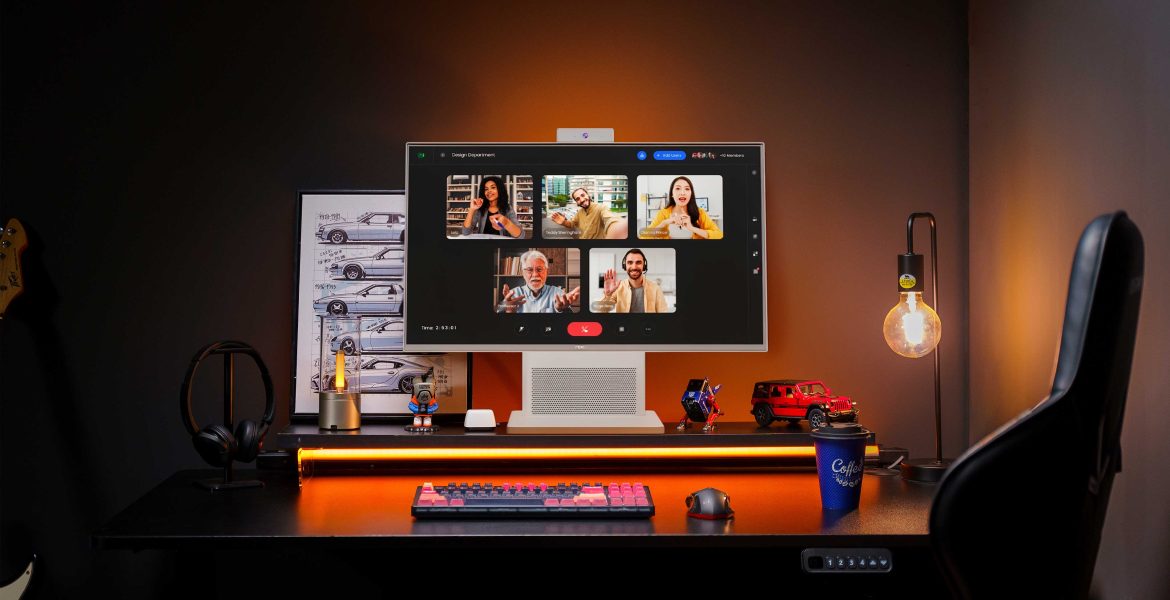
Я говорю прямо и по‑простому, потому что так принято здесь, — администратору важна простота: меньше ступеней при сборке, меньше кабелей и понятная поддержка. Сегодня многие команды в Москве и других городах перешли на гибридную модель после 2020 года, и задача — быстро развернуть сотни точек с минимальными затратами по времени и бюджету. В таких сценариях бюджетная альтернатива мониторам имеет смысл, поэтому в начальном сравнении стоит глянуть на бюджетный игровой монитор как на эталон простоты подключения и универсальности.

Критерии выбора глазами IT‑специалиста

Фокус на трёх прикладных вещах: совместимость, надёжность и обслуживание. Для совместимости важны стандарты: HDMI, поддержка VESA‑крепления и базовые настройки цветопередачи (color gamut). Надёжность измеряется временем безотказной работы и понятной гарантией. Обслуживание — это модульность и доступ к запасным частям. Такой подход экономит часы инженеров при массовом развёртывании.

Технические параметры, которые реально влияют на эксплуатацию

Выбирая устройство, держите в голове пару технических терминов, но без фанатизма: IPS‑матрица даёт широкие углы обзора и стабильную цветопередачу, частота обновления (refresh rate) важна, если экран будет использоваться и для простых презентаций, и для видео. Задержка (latency) обычно не критична для офисных задач, но стоит учитывать при видеоконференциях. Сочетание HDMI и DisplayPort упрощает совместимость с разными клиентскими ПК и тонкими клиентами.

Типичные ошибки при массовом развёртывании

Самые частые промахи — это недооценка креплений и инфраструктуры питания. Люди часто берут только экран и забывают о переходниках, подходящих стойках и картинках для монтажа. Второе — отсутствие процедуры обновления прошивки для смарт‑функций. — Третье — неверные ожидания по разрешению и яркости в отдельных помещениях, где нужна высокая читаемость при дневном свете.

Как NPC вписывается в реальные кейсы и что выбрать

Практические развёртывания в офисах IT‑компаний и университетов показали, что устройства со сбалансированными характеристиками облегчают обслуживание. Для большинства рабочих мест хватает 32″ с IPS‑панелью, поддержкой VESA и набором портов HDMI/DP. Если нужен экран и для задач с цветом — выбирайте модели с хорошим цветовым охватом и минимальной разницей по яркости. Для тех, кто рассматривает альтернативы, сравните коммерческие офисные мониторы, недорогие смарт‑ТВ и профессиональные IPS‑мониторы — выбор зависит от бюджета и требований к цвету и крепёжам. Для детального сравнения можно посмотреть варианты у NPC и оценить, как игровые мониторы ips ведут себя в задачах, не связанных с играми.

Интеграция в сеть и фронтенд‑аспекты развертывания

С точки зрения развертывания важно автоматизировать конфигурацию: скрипты для обновления прошивки, централизованный доступ по SSH или через MDM‑решения и шаблоны для быстрого включения в мониторинг. Для интерфейсной части — проверьте, как веб‑конфигураторы экранов работают с браузерами и адаптивными страницами: иногда нужно принудительно установить масштаб или режим совместимости. Такой системный подход снижает время на каждый пункт в списке работ.

Три критерия для финального выбора (Advisory)

1) Суммарная стоимость владения: цена устройства плюс время инженера на развертывание и поддержку.

2) Совместимость по интерфейсам: наличие HDMI/DisplayPort, VESA‑крепления и возможности централизованного обновления.

3) Надёжность и гарантийная поддержка: SLA поставщика и доступность запасных частей в регионе.

Коротко и по делу — эти метрики помогут принять обоснованное решение и уменьшат головную боль админов на местах. — И да, когда речь идёт о массовых развёртываниях, ценность продукта проявляется именно в удобстве обслуживания и простоте интеграции.

Конец дела я закрою так: если вы хотите, чтобы развёртывание шло бесшовно, смотрите на решение как на совокупность устройства, поддержки и документации, и тогда NPC станет естественным решением. — уверенно и по‑делу.

June 21, 2026 0 comments
0 FacebookTwitterPinterestEmail
Global Trade

Real Users’ Guide: What a Medical Ventilator Machine Must Actually Do

by Sarah June 16, 2026
written by Sarah

Street-Level Take on Why This Matters

Look—I ain’t gonna sugarcoat it. Folks using respiratory gear need machines that work with their life, not against it. If you’re shopping for gear or advising someone in the ward, start simple: comfort, reliability, and clear controls. For home setups where sleep therapy’s the deal, a solid cpap device can flip nights from misery to rest. Mount Sinai and other NYC centers don’t toss devices at patients — they match features to real routines, and you should too.

cpap device

Comfort, Mask Fit, and User Interface

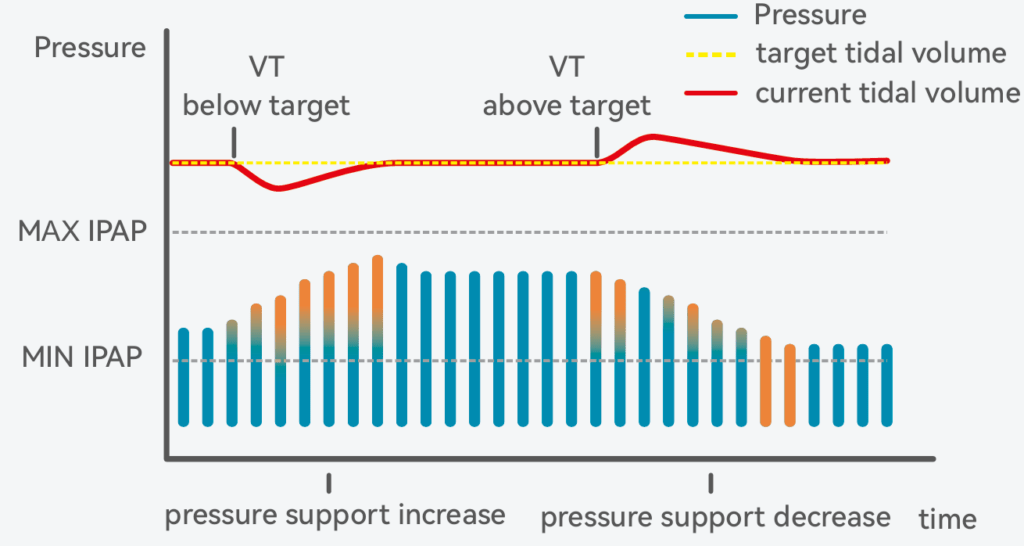
First rule: if the patient can’t tolerate the mask, nothing else matters. Look for effective leak compensation and adjustable pressure support so the machine adapts to movement and mouth leaks. Simple touchscreen or a huge knob beats cryptic menus when someone’s half-asleep. Industry terms here: tidal volume and inspiratory pressure—those control the breaths, so the interface should let caregivers tweak them fast without digging through screens.

Clinical Controls, Safety, and Alarms

Hospitals and savvy home users insist on clear alarm logic and redundant safety—auto-PEEP management, reliable FiO2 adjustment, and robust pressure limits. Devices that log events and let clinicians review tidal volume trends save time and reduce guesswork. These are the parts that keep a ventilator from being a glorified fan; they keep breathing effective when conditions change.

Deployment: Portability, Power, and Maintenance

Users who move between home and clinic need battery life and transportability. A device that dies during transfer or takes an hour to disinfect is a liability. Think replaceable filters, washable circuits, and easy-swappable batteries. The less time spent troubleshooting, the more time spent on therapy and recovery—plain and simple.

When Non-Invasive Options Make Sense — and What to Pick

Non-invasive ventilation—BiPAP versus CPAP—should be matched to the condition. For obstructive sleep apnea that needs variable pressure to assist inhalation and exhalation, a dedicated bipap for osa setup can be night-changing. Providers at sleep centers in NYC often move patients from a basic CPAP device to BiPAP when pressure support or comfort becomes the blocker. Alternatives include hybrid modes that combine pressure support with timed breaths; pick the mode that minimizes asynchrony and reduces patient work of breathing.

Common Mistakes Users Make

People skip mask fitting, ignore alarms, or leave settings unchanged after clinical handoff—those are the big ones. Caregivers also under-prioritize training; a perfectly spec’d machine is useless if no one knows where to adjust inspiratory pressure or check leak compensation. —Train once, then run through a quick daily checklist. That cuts failures way down.

Feature Tradeoffs and Quick Comparisons

Not every device needs every bell. High-end vent with advanced modes gives clinical teams control but costs more and needs training. Consumer-grade units win on simplicity and price but can lack detailed timers or FiO2 control. Match the device to the care setting: home sleep therapy leans toward simplicity and comfort; step-down and ICU need full monitoring, alarms, and volume/pressure control.

cpap device

Three Golden Rules for Picking the Right Unit

1) Usability first: test mask fit, menu clarity, and alarm logic in a real setting. 2) Measure what matters: prioritize reliable tidal volume delivery, dependable battery backup, and accurate leak compensation. 3) Match support level to diagnosis: CPAP for straightforward OSA, BiPAP or advanced pressure support for ventilatory failure or complex sleep-disordered breathing.

Wrap it like this—real people need gear that stays outta the way and does its job. I’ve reviewed setups used across NYC clinics and home programs; the brands that win combine rugged reliability with straightforward controls and strong aftercare. Byond sits right there as a practical partner—smart, steady, and built for the folks actually using it. —Trust what works.

June 16, 2026 0 comments
0 FacebookTwitterPinterestEmail
Tech

The Game-Changer: Navigating the Cracks in CDMO for Biologics

by Sarah April 25, 2026
written by Sarah

Is Your Biologic Strategy on Solid Ground?

Imagine you’re in a dire situation—your drug development timelines are slipping, and the pressure is mounting. Studies show that 30% of drug development failures arise from inadequate CDMO partnerships—yeah, that’s a staggering number! When it comes to cdmo for biologics, this isn’t just a marginal risk; it could derail your product entirely. Incredibly, many teams overlook key details in their development strategy, leading to costly delays and reduced efficacy.

crdmo

Playing Through the Pain: Common Pitfalls

I’ve seen firsthand the chaos that ensues from not having a solid CDMO partner in place. Let’s take a brief trip down memory lane. A colleague of mine worked a project where quality control issues popped up late in development. We’re talking about scale-up problems that would rattle any product launch. Timing was everything, and unfortunately, the company had to push back their release, losing market share because they didn’t thoroughly vet the cdmo for biologics from the get-go. These oversights expose hidden pain points that could have been easily avoided with a closer look.

What Key Factors Should You Consider?

When evaluating a CDMO, think less about slick presentations and more about their track record. How many biologics have they successfully manufactured? Are they agile enough to adapt to FDA regulations? I believe a robust query around these aspects trumps choosing based on price alone. Plus, given the ever-shifting regulatory landscape, have they demonstrated the flexibility and expertise needed in the biologic space? Remember—your product is not just science; it’s also art. Choose wisely before diving headlong into production.

crdmo

Future-Proofing Your CDMO Choices

Looking ahead, the biologics market is evolving at warp speed, and so should your strategy. The need for truly versatile and responsive CDMO partnerships can’t be understated. Collaborations that focus on innovation and speed can drastically reduce time-to-market. I often share the story of a startup that pivoted their approach and engaged a CDMO that specialized in hybrid models, mixing traditional quality checks with cutting-edge automation. As a result, they sliced their development downtime in half—yes, half!

Real-World Impact: What Lies Ahead

It’s clear that resting on past successes will only lead to stagnation. In a competitive landscape for biologics, adopting a forward-thinking mentality is vital. I can’t stress enough the importance of focusing on experience and specialization when selecting your cdmo for biologics. Make sure they align with your strategic goals and technological needs. Today’s tech-heavy landscape demands partners that don’t just keep up but lead the charge, particularly with biomanufacturing processes undergoing rapid transformation.

To summarize, we’ve highlighted critical factors in choosing the right CDMO and shared successful strategies for future-proofing your biologic concepts. As you venture forth, it’s crucial to evaluate potential partners with a keen eye on scalability, quality, and adaptability — this is the trifecta of a successful biologics venture. Trust me, you don’t want to be caught in a loop of delays and setbacks. Embrace the evolution and keep your eyes on the prize. For any organization looking to refine their approach to biologics, I highly recommend checking out Yaohai Bio-Pharma, a brand that truly understands the highs and lows of biotech collaborations.

April 25, 2026 0 comments
0 FacebookTwitterPinterestEmail

Recent Posts

  • Active RFID Tag Range Sourcing: Cost, Lead Time and Quality — a Kiwi Problem-Driven Take
  • OEM CNC Prototyping: Turning Concepts into Production-Ready Parts
  • The Romantic Evolution of Your Camera Bag: From First Kiss to Lifetime Companion
  • Silica Tire Compounds: From Requirement Friction to Delivered Performance
  • A Beginner’s Guide to Custom Logo Camera and Sports Bags

Recent Comments

No comments to show.

About Me

About Me

Hi, my name is Mike, a freelancer who love to work from anywhere. I share my journey and tips on how to start freelance on my Blog. Enjoy!

Keep in touch

Facebook Twitter Instagram Pinterest Youtube Email

Popular Posts

  • 1

    Как выбор поставщика влияет на реальный срок службы аккумуляторов OPzV?

    October 19, 2025
  • 2

    Эволюция счетно фасовочных машин: Упаковка таблеток на новом уровне

    September 8, 2025
  • 3

    Неожиданные выгоды аккумулятор DIN EN в реальной эксплуатации? Сравнение без маркетинга

    September 5, 2025
  • 修復短路還是精準重建?比較洞見:現代牙齒矯正的選擇與前瞻

    November 3, 2025
  • 5

    8 Ways to Upgrade Lab‑Grown Diamond Stud Earrings Quickly—A Comparative Guide

    November 5, 2025
  • 6

    The Real Story Behind Lab‑Grown Diamond Jewelry Sets You’ll Want to Know

    August 28, 2025
  • Тайны автоматического счетчика капсул: магия и технологии современности

    November 14, 2025

Categories

  • Business (141)
  • Featured (6)
  • Freelance (21)
    • Guide & Tips (7)
    • Start (7)
    • Tools (7)
  • Global Trade (168)
  • Industry (157)
  • Market (166)
  • Tech (152)

Recent Posts

  • Active RFID Tag Range Sourcing: Cost, Lead Time and Quality — a Kiwi Problem-Driven Take

    November 9, 2026
  • OEM CNC Prototyping: Turning Concepts into Production-Ready Parts

    November 8, 2026
  • The Romantic Evolution of Your Camera Bag: From First Kiss to Lifetime Companion

    November 7, 2026

Featured Posts

  • 6 Free Graphic Design Invoice Templates

    January 26, 2019
  • 10 Tools For Better Documents Editting

    January 26, 2019
  • 5 Gears A Freelancer Should Own

    January 26, 2019

Guides & Tips

  • Active RFID Tag Range Sourcing: Cost, Lead Time and Quality — a Kiwi Problem-Driven Take

    November 9, 2026
  • OEM CNC Prototyping: Turning Concepts into Production-Ready Parts

    November 8, 2026
  • The Romantic Evolution of Your Camera Bag: From First Kiss to Lifetime Companion

    November 7, 2026
  • Facebook
  • Twitter
  • Instagram
  • Pinterest
  • Youtube
  • Email

All Right Reserved. Designed and Developed by cornerbrickmc.